Presenting a property online – here's how! Part 1
Text from 2021. Laws, rates and prices may have changed since then. Ask an agent
Recent times have made online communication far more common. Many companies and offices have introduced video conferencing, which lets employees and clients communicate freely. The property industry has not been left out. More and more potential clients now choose to view a flat or house online during a video presentation led by an estate agent. How do you create this kind of video so that it encourages viewers to buy? That is the subject of today's article.
First of all, it is worth noting that before we start presenting a flat or house online, we should prepare it properly. The same rules apply as for a presentation in person. Home staging is a good idea: it gently refreshes the space and highlights its most attractive features.
The remaining rules for a successful video presentation mainly concern keeping to the right technical standards. Here are the most important ones.
A fully charged phone
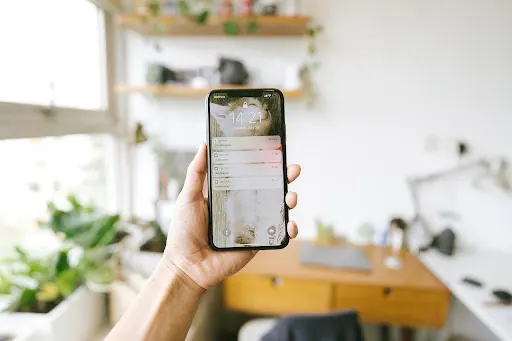
If we plan to present the property live through a direct online connection, we should remember that we need a fully charged phone. This kind of use drains the battery quite heavily, so let's charge it before we connect with the client. It will spare us the unpleasant surprise of the connection dropping while we are showing one space after another.
Make sure you have a high-quality internet connection
When you show a property to a client remotely, access to fast and stable internet is very important. Only then will the conversation and presentation run smoothly, and we will avoid a frozen picture or delayed sound.
It is a good idea to suggest that the viewer, if possible, connect their laptop to a wired internet connection. This makes the data transfer more stable, which results in better picture quality.
Make sure you have adequate phone signal
In some flats or houses, especially those located outside the city, there may be a problem with signal. It is worth checking this before we begin the video presentation. Let's walk around the whole property, because the signal may be satisfactory in some rooms and weaken in others. It is good to know this before we connect with the client.
One solution to a weak phone signal may be to change the type of network the device uses automatically.
Take care of the sound
For a video conference to go well, it is very important to ensure good sound quality. Before a live broadcast, it is best to close all the windows to reduce noise from outside. Taking off your shoes may also be a good idea, so as not to make noise when walking on the floor. And of course, let's not forget to switch off the television, the phone and any other devices that could disturb the call.
During video calls, it is also worth using a headset, which lets the participants hear each other better and limits the sounds coming in from outside. For the sake of the whole video presentation, you should always keep to the rule of speaking in turn. In remote conversations, speaking at the same time badly disrupts the connection and means the participants cannot hear each other.
There are many more rules worth following when presenting a property online. We will present more of them in the next article.
Tags: for sellers